<?xml version="1.0" encoding="utf-8"?><feed xmlns="http://www.w3.org/2005/Atom" ><generator uri="https://jekyllrb.com/" version="3.10.0">Jekyll</generator><link href="https://www.cocoa.productions/feed.xml" rel="self" type="application/atom+xml" /><link href="https://www.cocoa.productions/" rel="alternate" type="text/html" /><updated>2026-02-07T09:09:12+00:00</updated><id>https://www.cocoa.productions/feed.xml</id><title type="html">Cocoa Productions</title><subtitle>Kick-ass productivity tools for a Mac and mobile.</subtitle><author><name>Boris Yurkevich</name></author><entry><title type="html">Caffeine++ 3.1</title><link href="https://www.cocoa.productions/blog/caffeine++3.1" rel="alternate" type="text/html" title="Caffeine++ 3.1" /><published>2025-12-12T02:17:02+00:00</published><updated>2025-12-12T02:17:02+00:00</updated><id>https://www.cocoa.productions/blog/caffeine++3.1</id><content type="html" xml:base="https://www.cocoa.productions/blog/caffeine++3.1"><![CDATA[<ul>
  <li>Updated for iOS 26.</li>
  <li>New icon.</li>
  <li>New context menu: long press any favourite drink to edit it.</li>
  <li>Fixes issue where the default drinks list sometimes is not saved after installations; reinstall the app to bring it back.</li>
  <li>Fixes shortcuts.</li>
  <li>Fixes a very old bug which sets an incorrect FL OZ caffeine strength value for all default drinks on initial app install.</li>
  <li>No longer erasing the original caffeine strength value after drink is updated with a different unit setting.</li>
  <li>Restored confirmation banner after logging a drink.</li>
</ul>

<p>The update is <a href="https://apps.apple.com/gb/app/caffeine/id1594448346">live on the App Store.</a></p>]]></content><author><name>Boris Yurkevich</name></author><summary type="html"><![CDATA[Updated for iOS 26. New icon. New context menu: long press any favourite drink to edit it. Fixes issue where the default drinks list sometimes is not saved after installations; reinstall the app to bring it back. Fixes shortcuts. Fixes a very old bug which sets an incorrect FL OZ caffeine strength value for all default drinks on initial app install. No longer erasing the original caffeine strength value after drink is updated with a different unit setting. Restored confirmation banner after logging a drink.]]></summary></entry><entry><title type="html">LinkEdit 1.4</title><link href="https://www.cocoa.productions/blog/linkedit-1.4" rel="alternate" type="text/html" title="LinkEdit 1.4" /><published>2025-06-14T10:46:23+01:00</published><updated>2025-06-14T10:46:23+01:00</updated><id>https://www.cocoa.productions/blog/linkedit-1.4</id><content type="html" xml:base="https://www.cocoa.productions/blog/linkedit-1.4"><![CDATA[<ul>
  <li>LinkEdit is now available on iOS, iPadOS, and visionOS.</li>
  <li>Sidebar – Return keyboard can be used to rename notes and folders.</li>
  <li>Sidebar – Fixes a bug in which renaming a folder hides currently visible notes.</li>
  <li>Toolbar – Zoom buttons added.</li>
  <li>Toolbar – Delete button added.</li>
  <li>Editor – Customise editor colours [Pro].</li>
  <li>Editor – Switch between split modes without losing editor’s cursor. Broken after 1.2 and now fixed.</li>
  <li>Improves the overall interface.</li>
</ul>

<p>macOS 14 Sonoma or newer is required.
iOS or iPadOS 17 or newer is required.<br />
visionOS 2 or newer is required.</p>

<p><a href="https://apps.apple.com/app/linkedit/id1597510262">LinkEdit 1.4 on the App Store</a>.</p>]]></content><author><name>Boris Yurkevich</name></author><summary type="html"><![CDATA[LinkEdit is now available on iOS, iPadOS, and visionOS. Sidebar – Return keyboard can be used to rename notes and folders. Sidebar – Fixes a bug in which renaming a folder hides currently visible notes. Toolbar – Zoom buttons added. Toolbar – Delete button added. Editor – Customise editor colours [Pro]. Editor – Switch between split modes without losing editor’s cursor. Broken after 1.2 and now fixed. Improves the overall interface.]]></summary></entry><entry><title type="html">Caffeine++ 3.0</title><link href="https://www.cocoa.productions/blog/caffeine++3.0" rel="alternate" type="text/html" title="Caffeine++ 3.0" /><published>2025-06-14T09:47:03+01:00</published><updated>2025-06-14T09:47:03+01:00</updated><id>https://www.cocoa.productions/blog/caffeine++3.0</id><content type="html" xml:base="https://www.cocoa.productions/blog/caffeine++3.0"><![CDATA[<p>This version is a major update, and it improves the interface of the app, and introduces the following features:</p>

<ul>
  <li>Settings — Export and Import your data (Pro).</li>
  <li>Reminders — Set up a water target and interval you would like to be reminded of (Pro).</li>
  <li>Home Screen – Quick Actions.</li>
  <li>Home Screen – New icon.</li>
  <li>Health – Track the number of alcoholic drinks.</li>
  <li>Half-Life — Improves the value calcualation to show reamaing caffeine from yesterday.</li>
  <li>Apple Watch – Log drinks with a specified time.</li>
  <li>Apple Watch – Recent Drinks list will display an icon and label for all drinks.</li>
  <li>Icons – New icons added.</li>
  <li>iPad – Support added.</li>
</ul>

<p><a href="https://apps.apple.com/gb/app/caffeine/id1594448346">App Store</a></p>]]></content><author><name>Boris Yurkevich</name></author><summary type="html"><![CDATA[This version is a major update, and it improves the interface of the app, and introduces the following features:]]></summary></entry><entry><title type="html">Pinbook 1.1</title><link href="https://www.cocoa.productions/blog/pinbook-1.1" rel="alternate" type="text/html" title="Pinbook 1.1" /><published>2024-12-13T08:18:34+00:00</published><updated>2024-12-13T08:18:34+00:00</updated><id>https://www.cocoa.productions/blog/pinbook-1.1</id><content type="html" xml:base="https://www.cocoa.productions/blog/pinbook-1.1"><![CDATA[<p>We have shipped update for our password manager Pinbook. It is now available for iOS and we have included encrypted sync between Apple Watch and iOS.</p>

<h3 id="release-notes">Release notes:</h3>

<ul>
  <li>New icon.</li>
  <li>iPhone app.</li>
  <li>Sync.</li>
  <li>Import &amp; Export your passwords in open JSON format.</li>
  <li>Tap to reveal passwords with the Interactive Apple Watch widget.</li>
</ul>

<p>Download from the App Store (one time purchase – $4.99) <a href="https://apps.apple.com/us/app/pinbook/id6452802397">https://apps.apple.com/us/app/pinbook/id6452802397</a>.</p>]]></content><author><name>Boris Yurkevich</name></author><summary type="html"><![CDATA[We have shipped update for our password manager Pinbook. It is now available for iOS and we have included encrypted sync between Apple Watch and iOS.]]></summary></entry><entry><title type="html">Pinbook 1.0.3</title><link href="https://www.cocoa.productions/blog/pinbook-1.0.3" rel="alternate" type="text/html" title="Pinbook 1.0.3" /><published>2024-08-19T06:52:49+01:00</published><updated>2024-08-19T06:52:49+01:00</updated><id>https://www.cocoa.productions/blog/pinbook-1.0.3</id><content type="html" xml:base="https://www.cocoa.productions/blog/pinbook-1.0.3"><![CDATA[<p>Backup your passwords via encrypted iMessage using the new Share button which allows you to export the Pinbook database in open JSON format.</p>

<p>⚠️ Pinbook is not backed up to iCloud. If you buy a new iPhone or erase your Apple Watch and restore it from backup, your passwords will not be restored. It’s a watchOS limitation which applies to all third-party apps. We are working towards a solution for this limitation.</p>

<h3 id="103">1.0.3</h3>

<ul>
  <li>“Pinbook” is the new app name.</li>
  <li>Apple Watch – Adds two new default groups “Recent” and “Widget”.</li>
  <li>Widget — Pick a widget for the Smart Stack using default suggestions: “First Six”, “Last Six”, and “Widget”.</li>
  <li>Widget – Fixes issue with Smart Stack updating and improves performance.</li>
  <li>Apple Watch — Adds new symbols.</li>
  <li>Apple Watch — Adds green tag colour.</li>
  <li>Password Wizard — Improved state restoration for generated passwords.</li>
</ul>

<h3 id="102">1.0.2</h3>

<ul>
  <li>Apple Watch App — Backup your passwords using Share button.</li>
  <li>App Name — Pero is now Pinbook. We only updated the App Store name first, to make sure no one else can use it. The app is still called “Pero” when running on your devices. We will update app files in the future.</li>
</ul>]]></content><author><name>Boris Yurkevich</name></author><summary type="html"><![CDATA[Backup your passwords via encrypted iMessage using the new Share button which allows you to export the Pinbook database in open JSON format.]]></summary></entry><entry><title type="html">LinkEdit 1.3</title><link href="https://www.cocoa.productions/blog/linkedit-1.3" rel="alternate" type="text/html" title="LinkEdit 1.3" /><published>2024-07-28T07:51:24+01:00</published><updated>2024-07-28T07:51:24+01:00</updated><id>https://www.cocoa.productions/blog/linkedit-1.3</id><content type="html" xml:base="https://www.cocoa.productions/blog/linkedit-1.3"><![CDATA[<p>LinkEdit 1.3 is now available on <a href="https://apps.apple.com/us/app/linkedit/id1597510262">the Mac App Store</a>.  This update improves typing performance and introduces multiple-row selection.</p>

<ul>
  <li>Editor – LinkEdit now automatically saves everything you type without affecting typing performance, even when working with large notes.</li>
  <li>Editor – Choose File → Save to save a version of a note.</li>
  <li>Editor – Choose View → Editor to start typing immediately.</li>
  <li>Toolbar – Improved toolbar animations and states.</li>
  <li>Toolbar – The new note button moved from the sidebar into the toolbar.</li>
  <li>Toolbar – The search field moved from the toolbar into the sidebar.</li>
  <li>Sidebar – Notes with unsaved changes display a dot.</li>
  <li>Sidebar – Select multiple notes and folders.</li>
  <li>Sidebar – Delete shortcut changed from Command-Delete to Delete.</li>
  <li>Sidebar – Improved Drag and Drop.</li>
  <li>Menu bar – Choose File → Show in Finder for your notes and folders.</li>
  <li>Menu bar – Choose View → Notes Filter to filter visible notes. </li>
  <li>Menu bar – Changed “New Window” and “New Folder” keyboard shortcuts.</li>
  <li>Menu bar – Help command.</li>
  <li>Interface – Window tabs.</li>
  <li>Interface – Improved state restoration on app launch.</li>
</ul>

<p>If you enjoy LinkEdit, please consider writing a <a href="https://apps.apple.com/app/id1597510262?action=write-review">review</a> or rating on the Mac App Store.</p>]]></content><author><name>Boris Yurkevich</name></author><summary type="html"><![CDATA[LinkEdit 1.3 is now available on the Mac App Store. This update improves typing performance and introduces multiple-row selection.]]></summary></entry><entry><title type="html">Caffeine++ 2.7</title><link href="https://www.cocoa.productions/blog/caffeine++2.7" rel="alternate" type="text/html" title="Caffeine++ 2.7" /><published>2024-02-02T06:31:09+00:00</published><updated>2024-02-02T06:31:09+00:00</updated><id>https://www.cocoa.productions/blog/caffeine++2.7</id><content type="html" xml:base="https://www.cocoa.productions/blog/caffeine++2.7"><![CDATA[<p>Caffeine++ 2.7.0 is now available on the <a href="https://apps.apple.com/gb/app/caffeine/id1594448346">App Store</a>. This update brings redesigned charts built from the ground up powered by Swift Charts. And also other features and bug fixes…</p>

<ul>
  <li>Weekly Chart — New design.</li>
  <li>Context Menus — Tap and hold to duplicate a drink on the main screen and the All Drinks table.</li>
  <li>Search — Search added to the All Drinks table.</li>
  <li>Recent Drinks — Displaying full date, including, weekdays.</li>
  <li>Widgets – Fixed dark appearance.</li>
  <li>Settings – Fixed “Refresh Apple Watch” button.</li>
  <li>Older Devices — Brought back support for iOS 16 and watchOS 9.<sup id="fnref:1" role="doc-noteref"><a href="#fn:1" class="footnote" rel="footnote">1</a></sup></li>
</ul>

<p>If you enjoy Caffeine++, please consider writing a <a href="https://apps.apple.com/app/id1594448346?action=write-review">review</a> or rating on the App Store.</p>

<div class="footnotes" role="doc-endnotes">
  <ol>
    <li id="fn:1" role="doc-endnote">
      <p>When running on watchOS 9 widgets won’t show on your Apple Watch faces. <a href="#fnref:1" class="reversefootnote" role="doc-backlink">&#8617;</a></p>
    </li>
  </ol>
</div>]]></content><author><name>Boris Yurkevich</name></author><summary type="html"><![CDATA[Caffeine++ 2.7.0 is now available on the App Store. This update brings redesigned charts built from the ground up powered by Swift Charts. And also other features and bug fixes…]]></summary></entry><entry><title type="html">LinkEdit 1.2.1</title><link href="https://www.cocoa.productions/blog/linkedit-1.2.1" rel="alternate" type="text/html" title="LinkEdit 1.2.1" /><published>2023-12-17T05:31:37+00:00</published><updated>2023-12-17T05:31:37+00:00</updated><id>https://www.cocoa.productions/blog/linkedit-1.2.1</id><content type="html" xml:base="https://www.cocoa.productions/blog/linkedit-1.2.1"><![CDATA[<p>In addition to the changes listed below, this update fixes menu commands and corresponding keyboard shortcuts stopping to respond when running LinkEdit in multiple windows.</p>

<p>Unfortunately, we couldn’t find a workaround for the same issue occurring when switching between window tabs. To ensure menu commands always work correctly, we have disabled tabs. At least until we find a better solution.</p>

<p>• Text Editing — Improved text editor performance.<br />
• Text Editing — Fixed issue with updating LinkEdit state when a selected note gets deleted in Finder, this could lead to unwanted file recreation.<br />
• Sidebars — Fixed sidebar selection animation for macOS Sonoma.<br />
• Sidebars — Fixed interface issue when displaying folder names with “.” character.<br />
• Default Folder — Fixed issue with LinkEdit not updating its state after changing Default Folder.<br />
• Default Folder — Fixed issue with the text editor cache not clearing when changing the Default Folder.<br />
• Interface — Renamed “Editor Only” mode to “Focus this Editor”, and changed shortcut from Command+5 to Command+Return.</p>]]></content><author><name>Boris Yurkevich</name></author><summary type="html"><![CDATA[In addition to the changes listed below, this update fixes menu commands and corresponding keyboard shortcuts stopping to respond when running LinkEdit in multiple windows.]]></summary></entry><entry><title type="html">Pero 1.0.1</title><link href="https://www.cocoa.productions/blog/pero-1.0.1" rel="alternate" type="text/html" title="Pero 1.0.1" /><published>2023-12-16T07:59:06+00:00</published><updated>2023-12-16T07:59:06+00:00</updated><id>https://www.cocoa.productions/blog/pero-1.0.1</id><content type="html" xml:base="https://www.cocoa.productions/blog/pero-1.0.1"><![CDATA[<p>• Password picker – No longer dismissing the picker when adding passwords to a group.<br />
• Password picker – Fixed issue which caused passwords to appear in random order.<br />
• New icons – Added: locked document, alternative game controller and folder icons. Removed: pentagon and tag icons.<br />
• Apple Watch app – Improved interface layout and wording.<br />
• iPhone app — Added User Manual link to the About tab and App Store page.</p>

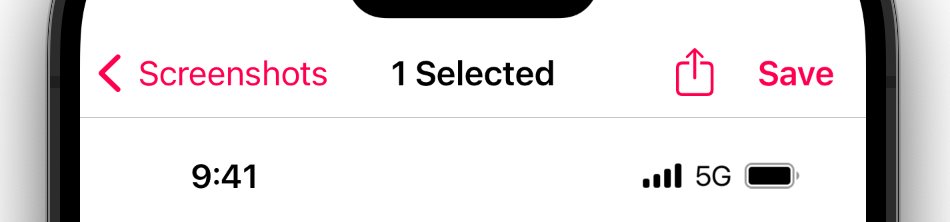
<p>Buy Pero 1.0.1 on the <a href="https://apps.apple.com/us/app/pero/id6452802397">App Store</a> as pay-upfront app ($4.99).</p>]]></content><author><name>Boris Yurkevich</name></author><summary type="html"><![CDATA[• Password picker – No longer dismissing the picker when adding passwords to a group. • Password picker – Fixed issue which caused passwords to appear in random order. • New icons – Added: locked document, alternative game controller and folder icons. Removed: pentagon and tag icons. • Apple Watch app – Improved interface layout and wording. • iPhone app — Added User Manual link to the About tab and App Store page.]]></summary></entry><entry><title type="html">Altershot 2.2</title><link href="https://www.cocoa.productions/blog/altershot-2.2" rel="alternate" type="text/html" title="Altershot 2.2" /><published>2023-11-21T06:45:37+00:00</published><updated>2023-11-21T06:45:37+00:00</updated><id>https://www.cocoa.productions/blog/altershot-2.2</id><content type="html" xml:base="https://www.cocoa.productions/blog/altershot-2.2"><![CDATA[<p>This update introduces non-destructive editing accessible through the “Save” button in the top right corner of the editor. By using this new workflow the Photos app will keep your unmodified originals.</p>

<p><img src="https://www.cocoa.productions/images/altershot-2.2.png" width="100%" alt="Altershot's toolbar with share and save buttons" /></p>

<h3 id="release-notes">Release notes.</h3>

<p>• Editor — Added “Save” button.<br />
• Delete Original — Renamed the toggle to “Delete Original After Sharing”.<br />
• General — Updated to run well on the latest versions of Apple’s operating systems, including, macOS.</p>

<p>This update brings no changes to the editor engine. Do let us know if you are not happy with the results on your device. As far as we know nothing changed since the last year.</p>

<p>💡 Tip. You can run a resizable iPad version of Altershot on M1 or newer Macs using Catalyst.</p>]]></content><author><name>Boris Yurkevich</name></author><summary type="html"><![CDATA[This update introduces non-destructive editing accessible through the “Save” button in the top right corner of the editor. By using this new workflow the Photos app will keep your unmodified originals.]]></summary></entry></feed>